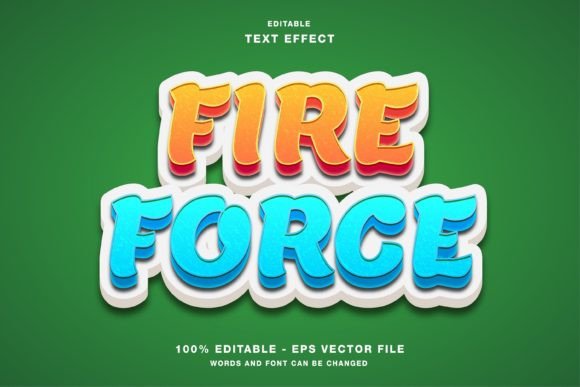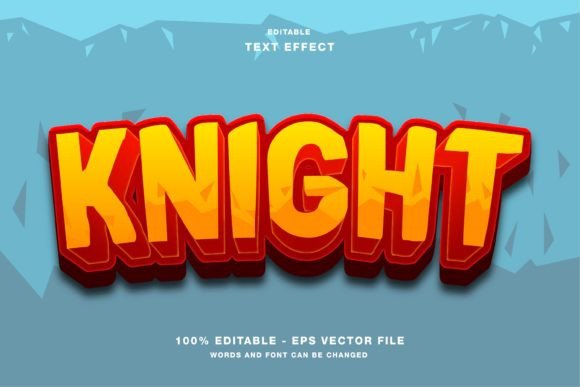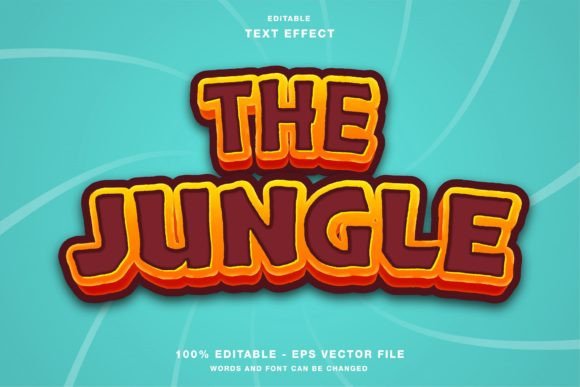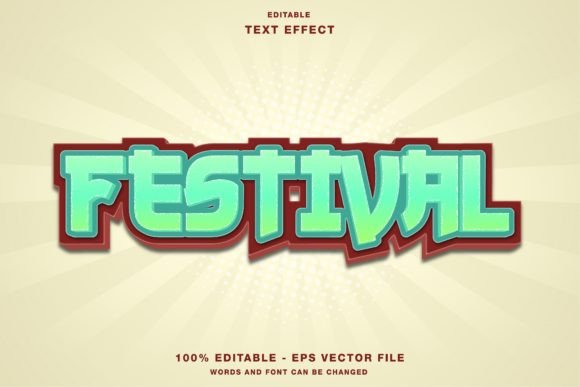
Arcade Zone Cartoon 3D Text Effect
In the crowded landscape of digital media, grabbing attention often comes down to a single element: typography. The Arcade Zone Cartoon 3D Text Effect offers a vibrant solution for designers who need to make their headlines pop with energy and nostalgia. This is an editable template specifically designed for Adobe Illustrator, allowing users to transform standard text into bold, three-dimensional graphics that feel right at home in a retro gaming cabinet or a modern comic strip. Whether you are a seasoned graphic designer or a small business owner looking to spice up your social media feed, this tool bridges the gap between professional quality and ease of use.
What Makes This Template Unique?
At its core, the Arcade Zone Cartoon 3D Text Effect is more than just a font; it is a complete design system wrapped in a single file. Unlike static images where you are stuck with pre-written words, this resource is built on vector principles within Illustrator. This means every curve, shadow, highlight, and color block is fully selectable and modifiable. The template was crafted to be intuitive, ensuring that even those new to vector software can navigate the layers without frustration.
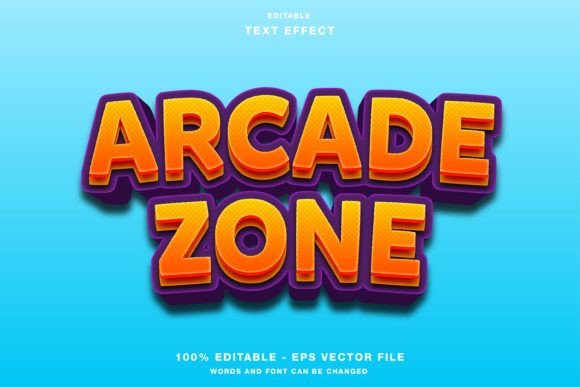
The defining characteristic of this effect is its playful yet polished aesthetic. It mimics the chunky, exaggerated style found in classic arcade games and cartoons, utilizing bright gradients and sharp contrasts. Because the text effect color mode is set to RGB, it is optimized for digital screens, ensuring that colors remain vivid and accurate when viewed on monitors, tablets, and smartphones. This technical detail is crucial for anyone creating content for online platforms, as it prevents the dullness often associated with print-only color profiles like CMYK when displayed digitally.
Why Choose an Editable Illustrator Template?
One of the biggest hurdles for marketers and hobbyists is finding assets that are both high-quality and flexible. Stock photos often lack the specific messaging needed for a campaign, while custom illustration work can be time-consuming and expensive. The Arcade Zone Cartoon 3D Text Effect solves this by offering a middle ground. You get the look of a custom commission with the speed of a template.
The "editable" aspect is the real game-changer here. You can easily edit all elements and change your text to fit your brand voice instantly. Need to turn a generic "Welcome" into a specific "Summer Sale"? No problem. Want to swap the default blue and yellow scheme for your company's red and black branding? The customizable nature of the file allows you to adjust hues, saturation, and layer order without breaking the design structure. This flexibility empowers users to maintain brand consistency while leveraging a trendy visual style.
Ideal Use Cases for Your Projects
The versatility of this text effect makes it suitable for a wide range of applications. Its primary strength lies in environments that demand high visibility and immediate engagement. Here is how different professionals can leverage this asset:
- Social Media Promotions: Platforms like Instagram, Twitter, and Facebook thrive on visual variety. Using this effect for headline posts, story covers, or promotional banners can significantly increase click-through rates. The cartoonish 3D style stands out against flat backgrounds and minimalist feeds, drawing the eye immediately.
- Web Design Elements: For websites targeting younger audiences or creative industries, this effect works perfectly for hero section headers, call-to-action buttons, or blog post titles. It adds a layer of personality that standard web fonts cannot achieve.
- Print Publications: While the RGB mode is digital-first, the vector format ensures scalability. You can convert the design for print materials such as flyers, posters, magazines, and event papers. Just remember to check color conversions if printing physically, but the structural integrity remains flawless regardless of size.
- Event Marketing: Whether it is a gaming tournament, a kids' birthday party, or a tech conference, this style conveys fun and excitement. It sets the tone before a reader even processes the details of the event.
Getting Started: A Practical Guide
Using the Arcade Zone Cartoon 3D Text Effect is straightforward, provided you have access to Adobe Illustrator. When you download the package, you will find the main folder containing both Eps and Jpg files. The Eps file is the working document where all the magic happens. Open it in Illustrator, and you will see the text broken down into logical layers.
To customize the text, simply select the type layer and type your own message. Because the effect is applied through grouping and clipping masks rather than complex effects panels, changing the word usually retains the 3D shape automatically. If you need to adjust the perspective or the depth, you can manipulate the individual geometric shapes that form the extrusion. For users who prefer not to touch the source file, the included Jpg files serve as ready-to-use assets for quick mockups or presentations.
Beginners should start by duplicating the original text group before making significant changes. This creates a backup in case you need to revert to the original styling. Experiment with the gradient sliders to match your project's mood. Since the design relies on strong contrast, avoid using low-saturation colors for the main text body unless you have a specific artistic reason to do so.
Important Considerations Before You Start
While this template is incredibly powerful, there are a few things to keep in mind to ensure the best results. First, always consider your audience. The Arcade Zone Cartoon 3D Text Effect has a distinct, energetic vibe. It fits perfectly for entertainment, youth culture, sales events, and creative portfolios. However, it might feel too casual for formal corporate reports, legal documents, or somber announcements. Context is key to effective design.
Secondly, pay attention to legibility. The 3D nature of the text adds depth, but it can sometimes obscure letters if the background is too busy. Ensure there is enough negative space around your headline. If you are placing this text over a photograph, consider adding a subtle drop shadow or a solid background box behind the text to separate it from the image.
Finally, remember the color mode limitation. As mentioned, the text effect color mode is RGB. This is perfect for digital screens but requires conversion if you intend to send the file to a commercial printer. Most modern printers can handle RGB to CMYK conversion, but for critical print jobs, it is wise to convert the colors manually in Illustrator to ensure they match your expectations. Always export a proof copy before committing to a large print run.
Unlocking Creative Potential
The true value of the Arcade Zone Cartoon 3D Text Effect lies in its ability to democratize high-end design. It removes the barrier of entry for complex 3D modeling, allowing entrepreneurs, bloggers, and freelancers to produce professional-grade visuals in minutes. By investing time in mastering this editable template, you gain a reusable asset that can evolve with your brand.
Whether you are launching a new product line, promoting a local event, or simply trying to make your next Instagram post stand out, this tool provides the visual punch needed to cut through the noise. With its combination of retro charm, modern customization, and technical precision, it serves as a reliable companion for any creative project requiring bold, memorable typography.