Poster Vintage Text Effect: A Timeless Design Solution for Modern Creators
In the fast-paced world of digital design, trends often cycle back to the past. There is a distinct charm in weathered typography, distressed edges, and the warm, nostalgic feel of print from decades ago. This is where the Poster Vintage Text Effect becomes an invaluable asset for designers who need to communicate history, authenticity, or artistic flair without spending hours manually crafting textures in Adobe Illustrator. Whether you are a social media manager trying to make a brand stand out on Instagram or a small business owner designing a flyer for a local event, this editable template bridges the gap between retro aesthetics and modern workflow efficiency.
Understanding the Editable Nature of the Template
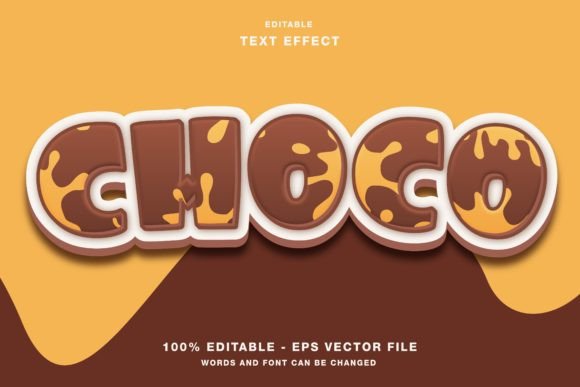
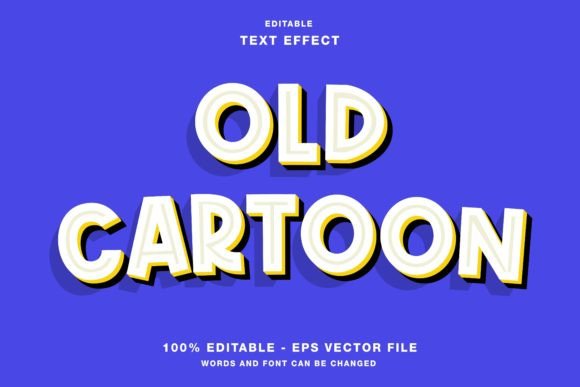
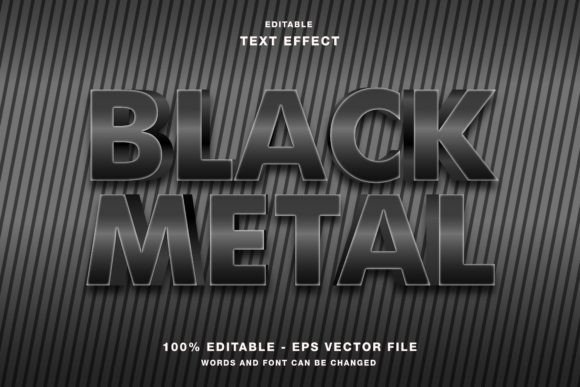
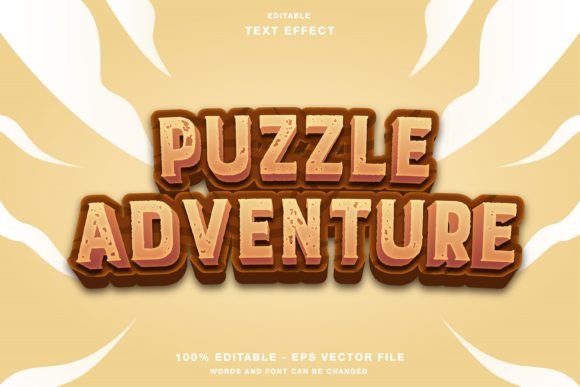
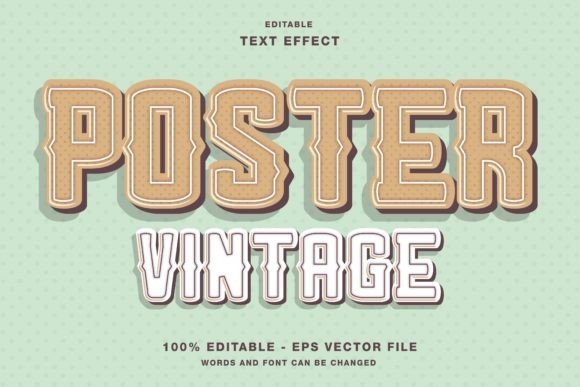
The core value of this resource lies in its flexibility. Unlike static images that force you to work around fixed text, this Poster Vintage Text Effect is built specifically as an editable vector file for Adobe Illustrator. This means every element—from the base lettering to the grunge overlays and shadow layers—is fully customizable. You are not just applying a filter; you are manipulating a design system that responds to your specific content needs.
Because the files are provided in both Eps (for full editing) and Jpg (for quick previews or use in non-vector software), you have the freedom to choose how deep you want to go into the customization process. The color mode is set to RGB, which is crucial for anyone creating content intended for screens. While CMYK is the standard for traditional offset printing, RGB ensures that when your vintage-style headlines appear on Twitter, Facebook, or a website, they retain their vibrancy and intended contrast against digital backgrounds.
Real-World Applications for Digital Marketing
One of the most immediate ways to utilize this effect is in social media promotion. Platforms like Instagram and Pinterest are visual-first environments where users scroll quickly. A clean, modern sans-serif font might get lost in a feed crowded with similar designs. However, a headline featuring a vintage text effect immediately signals something different—perhaps a story, a heritage brand, or a limited-time offer.
Imagine you are marketing a coffee shop that prides itself on traditional brewing methods. Instead of a generic "Open Now" graphic, you can drop your text into the Poster Vintage Text Effect template. The resulting distressed look suggests years of tradition and quality. You can easily change the text to highlight a new seasonal blend, update the colors to match your brand palette, and export the image directly for your morning post. This adaptability saves time during busy periods while maintaining a high level of visual consistency.
For bloggers and content creators, these effects are equally powerful. When promoting a new article or a webinar, a vintage-style banner can evoke curiosity. It feels less like a sales pitch and more like a curated recommendation. Since the template is editable, you can tailor the message to fit the specific tone of your audience, whether that's a serious historical analysis or a lighthearted weekend guide.
Enhancing Print Media and Event Promotions
While the RGB color mode is optimized for screens, the underlying vector structure makes this template surprisingly versatile for print projects as well. Many small businesses still rely on physical materials like flyers, posters, and event papers to reach local audiences. The tactile nature of a printed poster pairs beautifully with vintage typography, creating a cohesive experience that digital ads sometimes struggle to replicate.
Consider a music venue organizing a jazz night or a classic rock tribute concert. The atmosphere of the event is inherently nostalgic. Using a modern, sleek font for the promotional poster would feel disconnected from the theme. By utilizing the Poster Vintage Text Effect, the designer can instantly create a poster that feels like it was pulled from a 1970s newspaper. The ability to edit the text allows you to swap out artist names, dates, and venues effortlessly. Even though the default is RGB, converting the final output to CMYK for professional printing is a straightforward step in Illustrator, ensuring the vintage texture translates well to paper.
Magazine publishers and educators also find value here. A magazine feature on local history or a school newsletter about a heritage month celebration benefits from typography that reflects the subject matter. The template allows these users to maintain editorial standards without needing advanced illustration skills. They can focus on the content while the template handles the aesthetic heavy lifting.
Who Benefits Most from This Resource?
The versatility of this tool means it serves a wide demographic of adults aged 20 to 50. For freelancers and entrepreneurs, time is money. Being able to generate high-quality, unique graphics in minutes rather than hours allows them to take on more clients or manage multiple projects simultaneously. The included Eps and Jpg files ensure that no matter what software stack a client requires, the freelancer has the right deliverable ready.
Hobbyists and everyday users looking to add a personal touch to their projects will also appreciate the ease of use. Perhaps you are designing invitations for a vintage-themed wedding or creating a backdrop for a family reunion slideshow. The learning curve is minimal because the elements are pre-arranged. You simply select the text layer, type your message, and adjust the settings to your liking. There is no need to master complex masking techniques or texture blending modes from scratch.
Marketers and publishers benefit from the consistency the template provides. Brand guidelines often require specific fonts and styles. With an editable template, you can establish a "vintage" style guide for your organization. Every team member can use the same base file, ensuring that all promotional materials, from email headers to event flyers, share a unified visual language.
Key Considerations Before You Start
Before downloading or purchasing the Poster Vintage Text Effect, it is important to consider your specific workflow and end goals. First, ensure you have access to Adobe Illustrator. While the JPG files are universally compatible, the true power of the template—the ability to edit individual elements and change text dynamically—requires the vector capabilities of Illustrator. If you only have basic photo editing software, you may be limited to using the pre-rendered examples.
Secondly, think about your color requirements. As mentioned, the template is in RGB mode. This is perfect for web design, social media promotions, and digital presentations. However, if your primary goal is large-scale commercial printing, such as billboards or high-volume magazine runs, you should plan to convert the color profile to CMYK before sending files to the printer. While the conversion is easy, doing it at the wrong stage can sometimes alter the appearance of certain vibrant colors used in the vintage textures.
Finally, consider the context of your message. Vintage effects convey nostalgia, reliability, and warmth. They are excellent for storytelling but might not be the best fit for futuristic tech products or sterile medical communications. Understanding the psychological impact of the design ensures that the text effect enhances your message rather than distracting from it.
Bringing Your Vision to Life
Design tools are only as good as the ideas they help you express. The Poster Vintage Text Effect is more than just a collection of shapes and textures; it is a shortcut to emotional connection. By leveraging the editable nature of the Eps files, you can transform simple headlines into compelling visual stories. Whether you are launching a product, promoting an event, or simply sharing a passion project, this template offers the creative freedom to make your words stand out in a crowded digital landscape.
The combination of practical utility and aesthetic appeal makes it a smart addition to any creator's toolkit. It removes the technical barriers to high-end design, allowing you to focus on what matters most: your content and your audience. From the first draft to the final export, the process is streamlined, efficient, and tailored to produce results that resonate with people across various platforms and mediums.