Bomili - Powerpoint Template for All
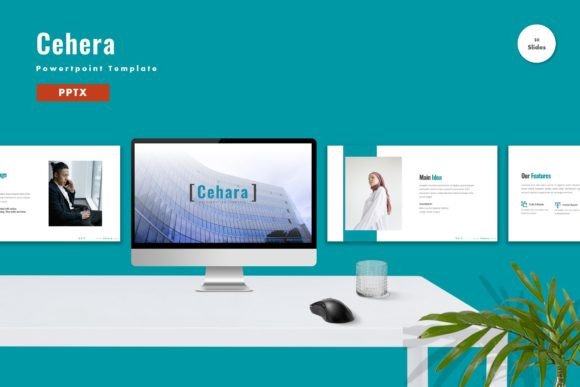
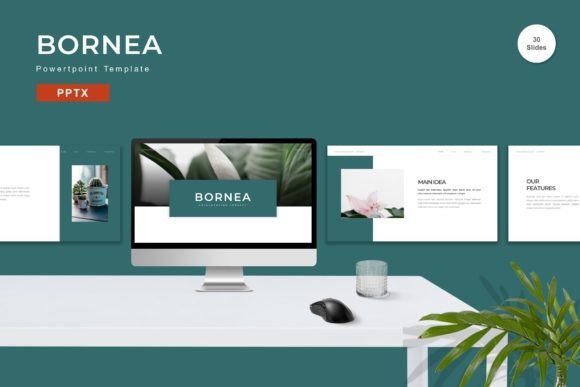
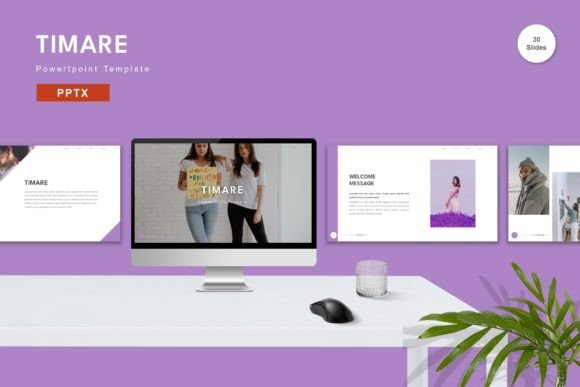
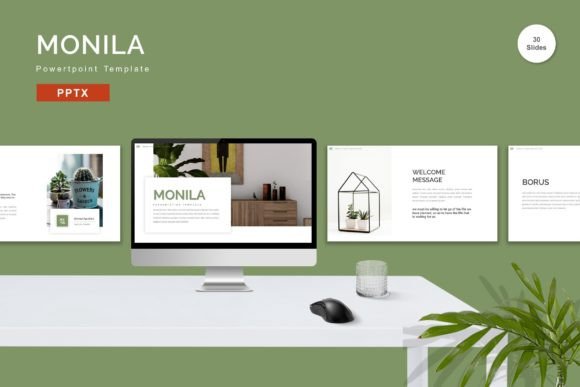
In the world of digital communication, a presentation is often the bridge between an idea and its execution. Whether you are pitching a startup to investors, teaching a complex concept to students, or simply organizing your personal thoughts for a family reunion, the visual structure of your message matters. The Bomili - Powerpoint Template emerges as a versatile solution designed to streamline this process. It is not merely a collection of slides; it is a comprehensive toolkit containing 150 total slides across five distinct color schemes, offering a robust foundation for both business and personal projects.
Understanding the Bomili Structure
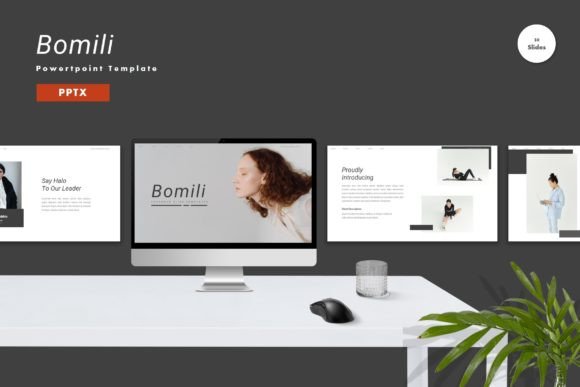
At its core, the Bomili template is built on vector-based master slides. This technical choice ensures that every element remains crisp and scalable, regardless of how large you project the content or how many times you resize an image. Unlike templates that rely on raster graphics which can pixelate when stretched, Bomili maintains professional quality. The package includes 30 specifically useful slides pre-designed for common scenarios, reducing the time spent on layout design and allowing you to focus on substance.
One of the most significant features is the inclusion of animated slides. Animation, when used correctly, guides the audience's attention and creates a narrative flow rather than a static wall of text. However, the template also respects the need for simplicity. With five premade colors, users can instantly shift the mood from corporate blue to vibrant orange without needing advanced design skills. The entire system is editable: you can input your content, replace placeholder images with your own assets, and adjust the color palette to match your brand identity.
For the Beginner: Overcoming the Blank Page
For those new to PowerPoint or anyone who feels intimidated by a blank slide, Bomili offers a structured starting point. Beginners often struggle with alignment, font consistency, and color theory. This template solves those problems by providing a "drag and drop" environment where the hard work of design is already done. You do not need to be a graphic designer to create a polished deck.
The included "Readme First" file acts as a gentle guide, ensuring that even users with limited technical experience can navigate the master slides and customize the elements effectively. For a student preparing a final year project or a hobbyist presenting at a local club meeting, the value lies in the speed of creation. Instead of spending hours trying to make two boxes line up perfectly, a beginner can spend that time refining their script and practicing their delivery. The recommended free web fonts ensure that the typography looks modern and legible without requiring expensive software licenses.
For the Professional: Efficiency and Brand Consistency
Professionals, such as marketers, entrepreneurs, and consultants, operate under tight deadlines. For them, time is the most valuable currency. The Bomili template supports efficiency by offering a widescreen format that is standard for modern displays and projectors. The ability to switch between five premade colors allows a marketing team to quickly adapt a single deck for different clients or campaigns while maintaining structural integrity.
Brand consistency is another critical factor for businesses. A freelancer might use one color scheme for a tech client and another for a creative agency, all within the same template file. The vector-based nature means that logos and icons remain sharp during high-stakes presentations. Furthermore, the 150-slide library provides enough variety to handle diverse needs—from financial charts and timeline infographics to team introduction slides—without the need to search for disparate resources online. This reliability ensures that the final output always meets professional standards.
For Educators and Creators: Engagement and Clarity
Educators and content creators face a unique challenge: keeping an audience engaged while delivering dense information. The animated slides included in the Bomili package are particularly beneficial here. An educator can use animations to reveal bullet points one by one, preventing students from reading ahead and losing focus. Similarly, a creator explaining a step-by-step tutorial can use these transitions to emphasize key actions.
The flexibility of the template allows educators to tailor the visual tone to their subject matter. A history teacher might choose a muted, classic color scheme, while a science instructor might opt for a brighter, more energetic palette. Because all elements are easily editable, teachers can replace generic placeholders with specific diagrams, photos of experiments, or maps relevant to their lesson plan. This adaptability makes the tool useful for everything from kindergarten storytimes to university-level lectures.
Evaluating Value: What Matters Most?
When deciding if the Bomili - Powerpoint Template fits your needs, consider your primary priorities. If your goal is speed, the pre-made layouts and drag-and-drop functionality will significantly reduce your preparation time. If flexibility is your concern, the vector-based master slides and multiple color options provide a wide range of customization. For those prioritizing quality, the widescreen format and professional typography ensure your presentation looks credible on any device.
Cost is also a factor for small business owners and freelancers. While there are many free templates available, they often lack the depth of 150 slides or the polish of vector graphics. Investing in a comprehensive kit like Bomili can save money in the long run by eliminating the need to hire a designer for routine presentation tasks. Additionally, the commercial value extends to the longevity of the files; since they are based on standard PPTX formats, they remain usable as software updates occur.
Practical Application Across Industries
Imagine a small business owner preparing for a bank loan application. They need to present financial projections clearly and professionally. Using Bomili, they can select a conservative color scheme, utilize the chart-heavy slides to display data, and ensure the document looks trustworthy. Conversely, a blogger launching a new YouTube channel might use the same template to pitch sponsorship deals, swapping in a vibrant color scheme and using the animated slides to showcase their video style.
Even consumers planning personal events, such as a wedding slideshow or a family genealogy presentation, can benefit. The ease of editing means that non-technical users can insert personal photos into the placeholders and add captions without breaking the design. The template democratizes high-quality design, making it accessible to anyone with a story to tell.
Getting Started with Your Presentation
To get the most out of this resource, start by reviewing the included readme information. This step ensures you understand how to unlock the full potential of the master slides and how to manage the five PPTX files provided. Once familiar with the structure, begin by selecting the color theme that best aligns with your message. Replace the placeholder images with your own high-resolution photos, ensuring they fit the vector frames seamlessly.
Remember, the tools are only as good as the content you put into them. The Bomili - Powerpoint Template provides the stage, but your ideas drive the performance. Whether you are a seasoned executive or a first-time presenter, having a reliable, flexible, and visually appealing foundation can make the difference between a forgotten slide deck and a memorable presentation. By combining ease of use with professional-grade features, this template serves as a practical asset for a wide array of goals and skill levels.